Escape from Squircle Jail
This weekend, I was wrapping up a new release of Iris and decided to have some fun after a user emailed to say:
I have a rather niche feature request—but wondering if it would be possible to offer an alternative app icon with the beautiful flower freed from its squircle? I know that Apple has mandated the squircle from macOS Tahoe on; but I’m still running Sequoia, and I imagine other users may be as well. I love the way apps like Nova and Sketch offer alternative “legacy” icons, and it would make Iris feel even more at home in my dock 🙂
We all know about macOS Tahoe’s terrible app icons and how 3rd party developers have been confined to squircle jail.
If you’re lucky enough to distribute an app outside the Mac App Store, you can break free of squircle jail using NSDockTilePlugIn. It’s not strictly the intended use-case of that API. And it’s not allowed in the Mac App Store, either. But it can solve the problem.
So today’s release of Iris adds three additional app icons to choose from in the app’s Special Preferences Settings pane. And since they use the NSDockTilePlugIn API, the custom icon remains even when you quit the app.
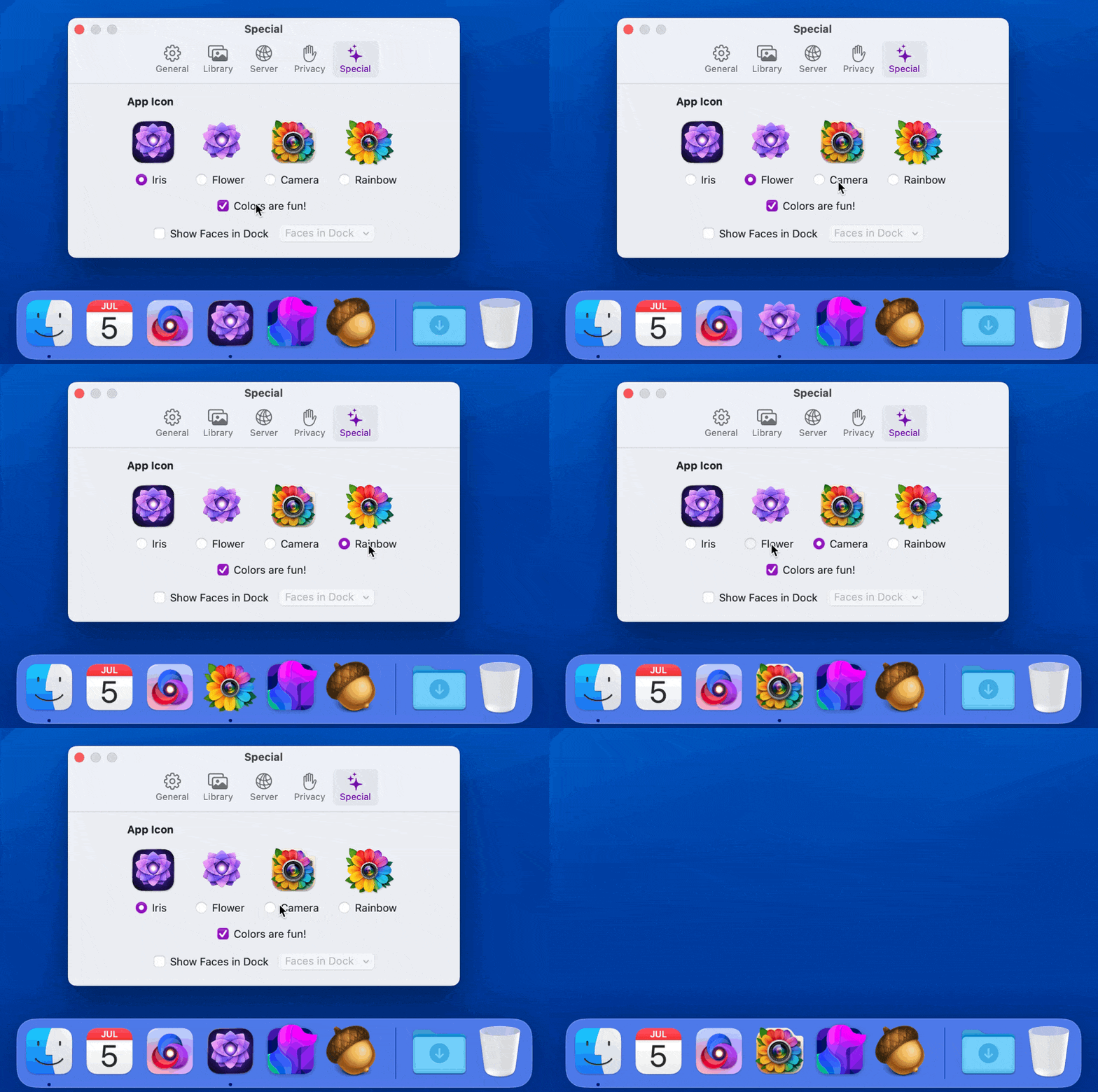
But let’s take this a step further. Past useful, beyond silly and ridiculous, and all the way to fun. (Remember when software was allowed to be whimsical?)
One of Iris’s Guiding Principles is “Fun”:
There is no reason to maintain and invest in your family’s photo and home video library if you’re not also going to enjoy your memories.
I added another setting named “Show Faces in Dock”. Once enabled, you can choose any person’s face in your library and…add them to the Dock. Now your favorite people can hang out alongside your favorite apps.
Why?
Because software should be fun and joyful just as much as it should be useful. That’s why.
Iris is available directly from the app’s website or in the Mac App Store. Only the direct version includes fun extras like custom app icons and Dock faces.